Video Properties
Every video file or stream has a couple of properties and characteristics that are important to understand when handling it. Many of these concepts might seem self-explanatory, but there are additional details to keep in mind.
Resolution
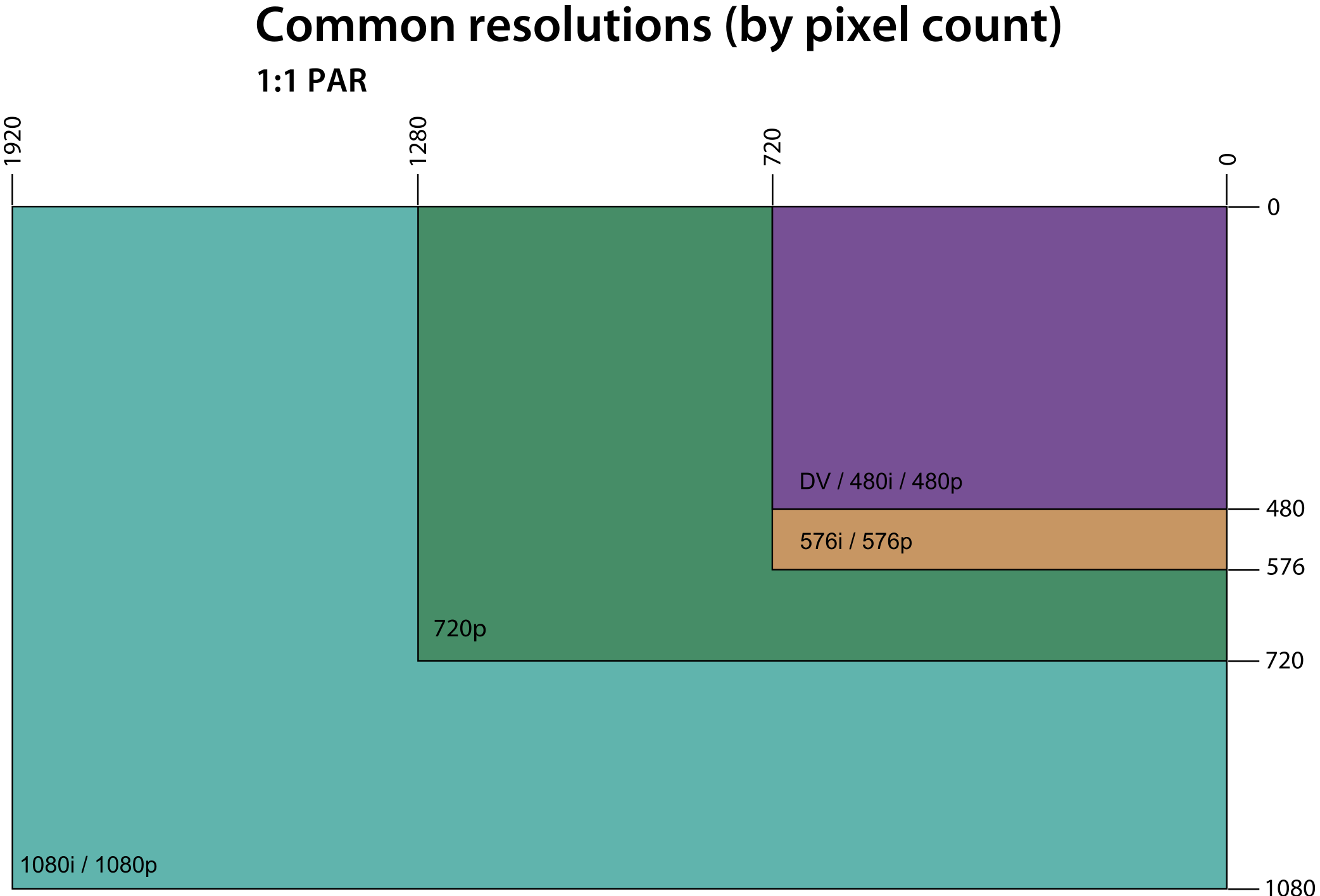
This one is pretty simple. Video resolution describes the amount of pixels in a frame using Width and Height. The two most common resolutions you will see are 1920x1080 (HD or high definition) and 1280x720 (SD or standard definition). You've probably seen these from the Premiere Pro New Sequence dialog.
Framerate
Framerate is a little more complicated, although still pretty easy to grasp. A video's framerate describes how many pictures, or frames are played back every second. FPS stands for frames per second. Common framerates are 30fps, 24fps, and 60fps. 24 is more commonly used in cinema but less prevalent in web-based video.
Some framerates don't equal a whole number as well. 29.97fps and 59.94fps are two common ones. These were mainly used for older TVs but are still used in some cases. It's extremely important that you know the difference because 30fps is not the same as 29.97fps and can cause issues down the road. For instance, in vMix, you can have inputs running at 29.97fps while your project is in 30fps.
Another important distinction to make is between progressive video and interlaced video. This is less common but still important. Progressive video is denoted with a "p," and interlaced is denoted with an "i." This is where terms like 1080p60 and 720p30 come from. They simply describe the resolution and framerate with one label.
Interlaced framerate means that every frame, only half of the video is changed. Every other row of pixels will change each time there is a new frame. Similar to the non-whole-number framerates, this is not as commonly used because it was mainly intended for old cable TV. Because interlaced video only changes half the frame, two frames are needed to update the whole picture. In order to achieve 30 frames per second, 60 interlaced frames are actually needed. Again, this format is rare but you might run into issues if you don't notice it.
99% of the time, the video stream will be progresive (1080/720p). This means the the whole picture updates on every frame. Every row of pixels is simultaneously refreshed and the real framerate is whatever the file format says.
This conversion chart should help things make more sense.
| Interlaced | Progressive |
|---|---|
| 60i | 30p |
| 59.94i | 29.97p |
| 48i | 24p |
| 50i | 25p |
Compression
A video file or stream cannot contain information about every single pixel for every single frame. If that were the case, a 10-second video could take up 30 gigabytes of storage space or more. Because of this limitation, video is "compressed" into a smaller file. The parts of the picture that don't change significantly, like a solid background, don't need new data for every frame. They can re-use data from the last frame and not impair the visual quality. This is a gross oversimplification, but it gets the point across. There are many different compression algorithms that handle this issue in a number of different ways. The most common one you will use is called H.264.
Bitrate
Bitrate is the amount of data that a video contains per second. Think of bitrate like your wifi speed, but for video. Bitrate goes hand-in-hand with compression and defines how much data to actually keep from the source, and how much to throw away because it isn't needed to reconstruct a picture that looks like the source. Usually, you will see it shown in megabits-per-second (Mbps).
Megabits per second is not the same thing as MegaBytes per second. A byte is a separate unit of data that contains 8 bits (ones and zeros), so one megabyte is actually equivalent to 8 megabits. MegaBytes are abbreviated MB with a capital B, whereas Megabits are abbreviated with a lowercase Mb. That being said, sometimes people make mistakes when writing documentation and don't always use the correct capitalization. As a good rule of thumb, bits are almost always used when quantifying a data rate like Mbps. Bytes are used when describing an amount of data like Gigabytes on a device's storage.
Recommended bitrates for common resolutions
| Type | Resolution | Bitrate |
|---|---|---|
| Video | 720p | 10-20 Mbps |
| Video | 1080p | 15-30 Mbps |
| Streaming | 720p30 | 3000 Kbps (kilobits per second) |
| Streaming | 1080p30 | 4000 Kbps |
| Streaming | 720p60 | 4000 Kbps |
| Streaming | 1080p60 | 6000 Kbps |
10-30 Mbps is passable for most applications, depending on how high the resolution is.
Aspect ratio
An aspect ratio is a proportional relationship between an image's width and height. It describes the shape of the video. The most common aspect ratio for our purpose is 16:9. You may have seen this ratio when cropping a picture. For instance, iPhones take pictures at an aspect ratio of 4:3.
Here's a cheat sheet for common web and cinematic aspect ratios and their associated resolutions.